PayPal's Hidden Currency Fees: What Barbadian Shoppers Should Know
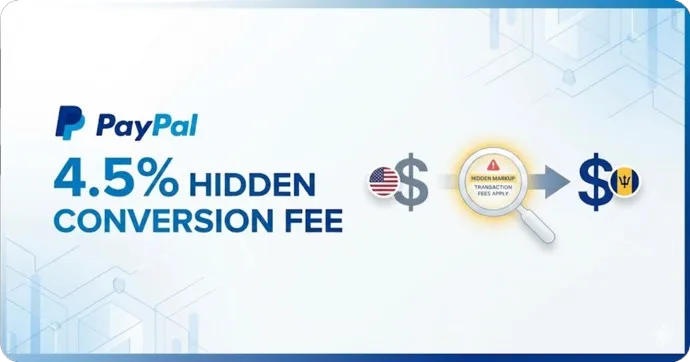
Complete guide for Barbadian shoppers: Save ~3% on PayPal purchases by paying in USD instead of BBD. Includes real examples, step-by-step instructions for changing currency settings, and calculations showing how PayPal's hidden fees stack up against your bank's rates.
When shopping online or paying for services like Spotify, LinkedIn, or domain renewals, many Barbadians turn to PayPal for convenience and security. But what many users don't realize is that PayPal's currency conversion practices are quietly costing you more—particularly on recurring payments.
Did You Know? PayPal charges a 4.5% markup on currency conversions (they call it a "currency conversion spread"). In this article, I will:
- Break down PayPal's fees and how they compare to your bank
- Show a real-life example with actual checkout screenshots
- Share step-by-step instructions to minimize these costs
PayPal's Exchange Rate: What Are You Really Paying?
PayPal automatically converts USD to BBD at its own rate. At the time of writing, PayPal's rate is 1 BBD = 0.4775 USD, which translates to approximately 1 USD = 2.094 BBD.
But here's what PayPal doesn't make obvious: this rate includes a 4.5% markup (PayPal calls it a "currency conversion spread"). They actually disclose this in small text during checkout—but most people don't notice it.
Compare this to letting your local bank handle the conversion:
- PayPal's effective rate: ~2.094 BBD per USD (includes 4.5% markup)
- Bank's rate: ~2.03 BBD per USD (~1.5% markup)
That's roughly 3% more expensive when you let PayPal convert. And remember, the Central Bank's 2% FXF applies either way—so don't let that influence your choice.
What is PayPal's "Currency Conversion Spread"?
Unlike Amazon's "Exchange Rate Guarantee Fee" which is a separate line item, PayPal bakes their fee directly into the exchange rate. They call it a "currency conversion spread"—essentially a percentage markup added to the base exchange rate.
How it works:
- The base BBD/USD exchange rate is 2:1 (fixed since 1975)
- PayPal adds a 4.5% markup on top
- You see a single "converted" price that looks like a normal exchange rate
Why this matters: Because the fee is hidden in the rate itself, many shoppers don't realize they're paying extra. At least Amazon shows their fee as a separate line item—PayPal's approach is less transparent.
A Real-Life Example: Aeropost Shipping Payment
Let's look at a real shipping payment through Aeropost, a popular freight forwarding service for Caribbean shoppers.
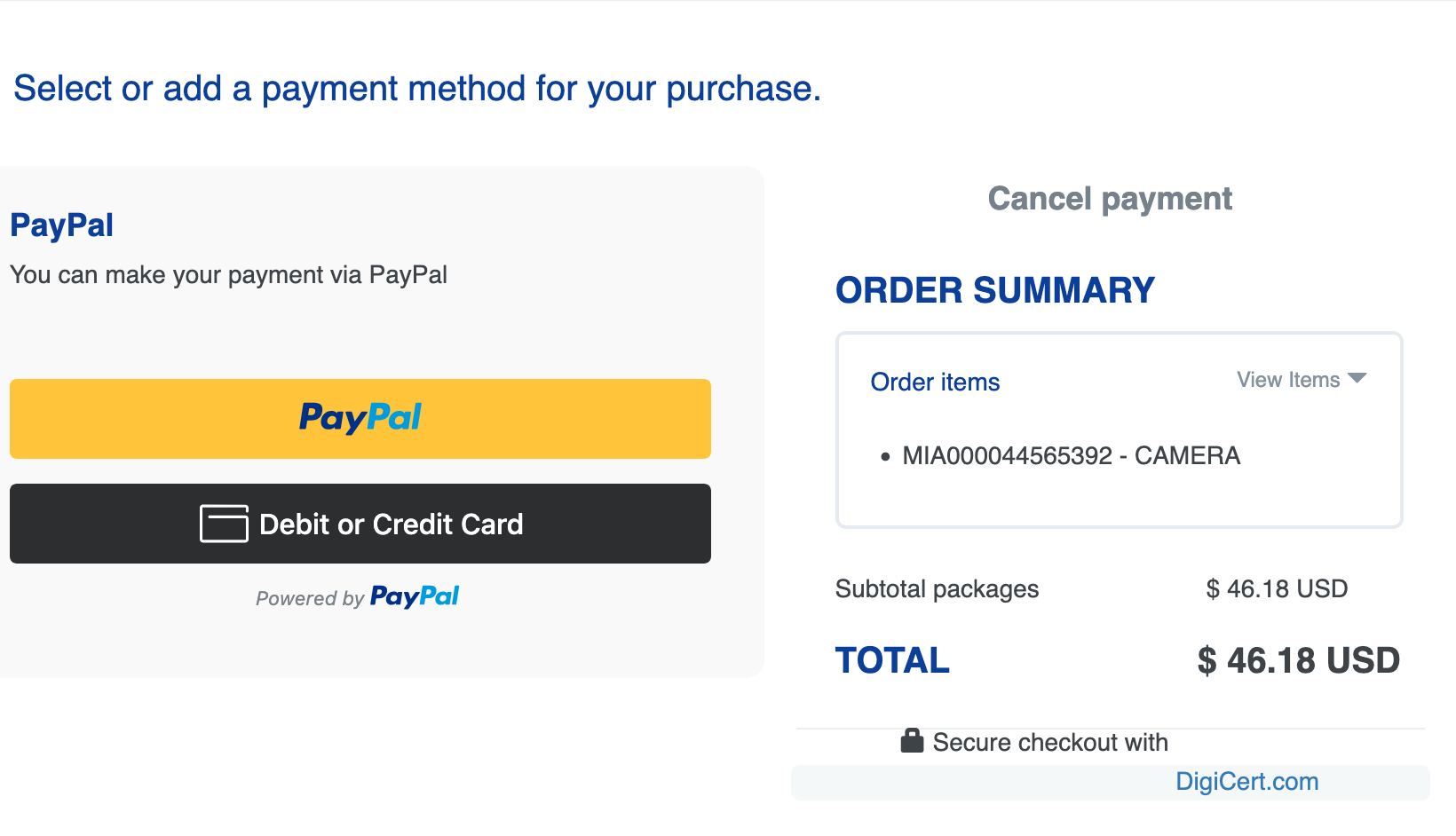
Aeropost checkout: USD $46.18 shipping fee for a package (dashcam purchased from Amazon).
When checking out with PayPal, you're given the choice to pay in BBD or USD:
Option 1: Pay in BBD (PayPal Converts)

- PayPal's conversion: BBD $96.71
- Effective rate: 2.094 BBD per USD
- Plus Central Bank's 2% FXF: BBD $96.71 × 1.02 = BBD $98.64
Option 2: Pay in USD (Bank Converts)
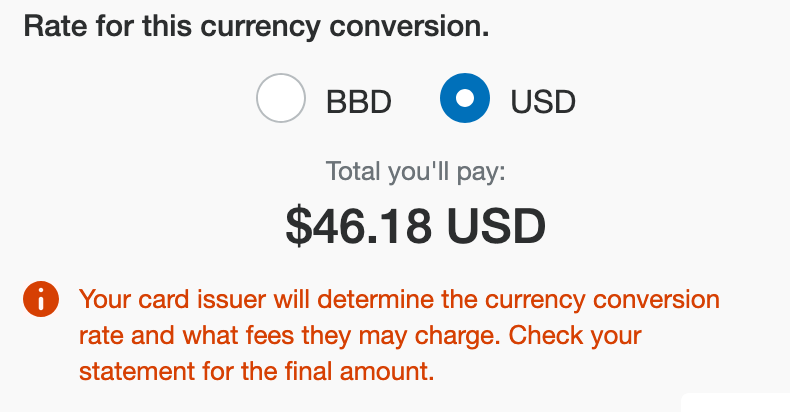
- USD amount: $46.18
- Bank's rate (~2.03 BBD/USD): $46.18 × 2.03 = BBD $93.75
- Plus Central Bank's 2% FXF: BBD $93.75 × 1.02 = BBD $95.62
Savings: BBD $3.02 on a single $46 purchase.
That might not sound like much, but if you're a regular online shopper making several purchases a month, it adds up quickly.
The FX Fee Still Applies Either Way
Important: Even if you pay in BBD through PayPal, the Central Bank's 2% Foreign Exchange Fee (FXF) still applies. As the Central Bank FAQ explains:
"Even if you opt to be charged in Barbados dollars when you purchase an item with your credit card, you will still have to pay the FXF. This is because even with this option, your bank must still use foreign currency to pay the company you purchased the item(s) from."
So you're paying:
- BBD option: PayPal's 4.5% markup + 2% FXF = ~6.5% total markup
- USD option: Bank's ~1.5% markup + 2% FXF = ~3.5% total markup
The difference is PayPal's extra 3% markup—that's money you keep by choosing USD.
Forced Currency Conversion on Subscriptions
With subscriptions, things get worse. PayPal often defaults to your card's currency (BBD) for recurring payments, and you cannot easily change this in your account settings.
This means services like Spotify, Netflix, or software subscriptions automatically use PayPal's inflated rate every month—without giving you the option to choose USD at checkout.
My recommendation: For subscriptions, skip PayPal altogether and pay with your card directly. You'll have full control over the transaction, and your bank's ~1.5% markup beats PayPal's 4.5% every time.
How to Minimize PayPal's Currency Fees
For One-Time Payments
During checkout, look for the currency toggle or "See conversion options" link:
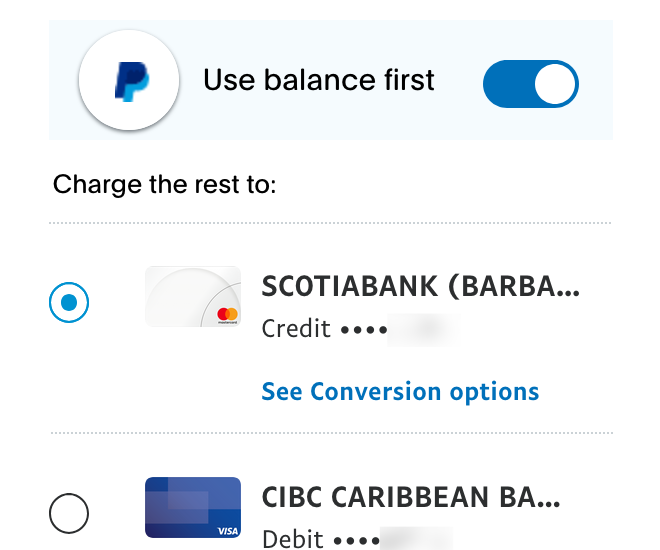
Click "See Conversion options" under your card to change the currency.
Then select your bank to handle the conversion:
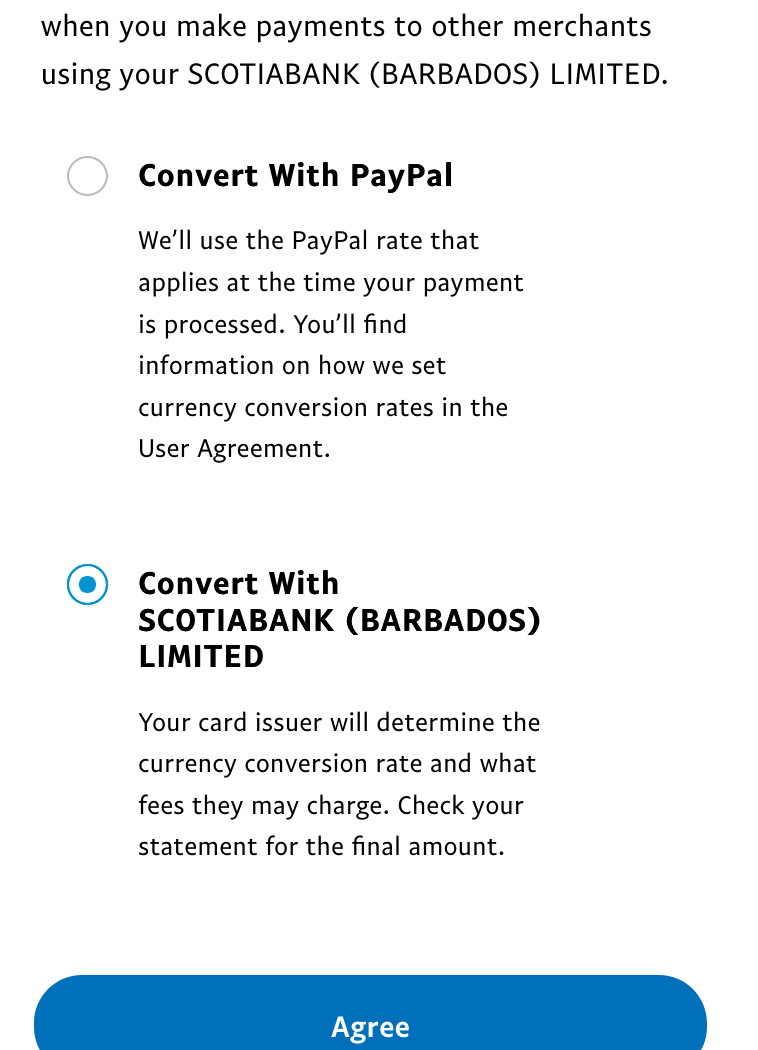
Choose "Convert With [Your Bank]" instead of "Convert With PayPal".
Steps:
- At PayPal checkout, click "See Conversion options" under your card
- Select "Convert With [Your Bank Name]"
- Click Agree to save this preference for that merchant
Note: This setting only applies to the specific merchant. You'll need to set it again for other merchants.
Paying with Card via PayPal (No Account)
Warning: If a merchant only offers PayPal checkout and you choose "Debit or Credit Card" without logging into a PayPal account, you're locked into PayPal's 4.5% markup with no way to opt out. In these cases, your options are:
- Create a PayPal account to access the currency conversion options
- Look for alternative checkout if the merchant offers direct card payment
For Subscriptions
Best approach: Don't use PayPal for subscriptions at all. Pay directly with your credit or debit card instead—you'll automatically get your bank's better exchange rate without jumping through hoops.
If you're already subscribed via PayPal, your options are limited:
- Cancel and re-subscribe using your card directly (recommended)
- Contact PayPal Support and request to set your card's default billing currency to USD (tedious, and may not always work)
PayPal vs Amazon: How Do the Fees Compare?
| PayPal | Amazon | |
|---|---|---|
| Fee Name | Currency Conversion Spread | Exchange Rate Guarantee Fee |
| Fee Amount | 4.5% | 2% |
| How It's Shown | Hidden in exchange rate | Separate line item |
| Can You Avoid It? | Yes, choose USD | Yes, choose USD |
| Applies to Subscriptions? | Yes, harder to avoid | N/A |
Bottom line: PayPal's markup is more than double Amazon's, and it's less transparent about it.
Key Takeaways for Barbadian PayPal Users
-
PayPal's 4.5% markup is significantly worse than Amazon's 2% or your bank's ~1.5%
-
Always select USD at checkout when given the option
-
The 2% FXF always applies regardless of which currency you choose—so don't let that be a reason to pick BBD
-
Avoid PayPal for subscriptions—pay directly with your card instead to get your bank's better rate without the hassle
-
Check every merchant since currency preferences are saved per-merchant, not globally
Conclusion
PayPal provides secure, convenient payments—but for Barbadians, that convenience comes at a cost. With a 4.5% currency conversion spread (plus the unavoidable 2% FXF), paying in BBD through PayPal means you're losing roughly 6.5% on every international transaction.
The good news: you can avoid most of this by selecting USD at checkout and letting your bank handle the conversion. It takes an extra click, but over time, those savings add up.
PayPal's fee structure has been drawing criticism globally—for a deeper look at why many users and businesses are reconsidering PayPal, see this video analysis.
Found this helpful? Share it with a friend who uses PayPal for online shopping!
Questions about this topic?
Financial terms can be confusing. If you have questions about the article or ideas for what I should cover next, send me a DM.
Chat on Instagram